


Cyber attacks have become part of the background noise of running a business. Data breaches, ransomware incidents, and scams regularly make the headlines, yet for many SMB leaders, it’s still unclear what actually puts their organisation at risk. The volume of information doesn’t help. If anything, it often makes cyber security feel more complex, more technical, and harder to prioritise than it needs to be.
This is something I regularly see in my work with businesses across a wide range of industries, many of which already have security tools in place. When incidents happen, it’s rarely because a company didn’t care about security. More often, it’s because everyday risks were underestimated, or because people assumed technology alone would take care of the problem.
This article strips cyber security back to basics. We’ll look at the most common cyber attacks affecting UK businesses today, explain why they still work, and — most importantly — outline practical steps you can take to reduce your exposure. The aim isn’t to cause alarm, but to help you think more clearly about risk and make better decisions as a result.
What this Article Covers:
- Phishing and Social Engineering
- Credential Theft and Business Email Compromise
- Malware and Ransomware
- Cloud Misconfiguration
- Remote Working and Insecure Access
- Denial of Service Attacks
- Early Warning Signs Businesses Often Ignore
Phishing and Social Engineering
Phishing is still one of the most common ways attackers gain access to systems. It typically involves emails, messages, or phone calls designed to trick you into clicking malicious links, downloading attachments, or sharing login details. Before, these messages were obvious and poorly written, making them relatively easy to recognise. However, that has since changed, as many are well-timed, convincingly written, and eerily personalised.
Most cyber incidents don’t start with a technical failure. They start with human error. As we’ve mentioned on multiple occasions, your people will always be your biggest cyber security risk. A single click or response can bypass layers of security controls and give attackers a foothold inside the business. Even experienced, well-intentioned employees can get caught out, especially when messages appear urgent or seem to come from someone they trust.
Check out this article to unpack why your employees are your biggest internal security risk and what measures you can take to tackle this threat.
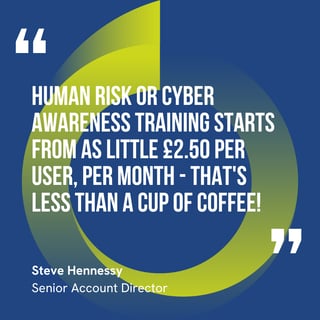 But it’s not all doom and gloom: while your employees might be your weakest security link, they can also be your strongest line of defence. Phishing threats can’t be mitigated by security software alone. It’s far more effective to train your employees to know how to spot and deal with ‘phishy’ emails, texts and phone calls in the first place.
What you can do about it
- Treat security awareness as an ongoing process, not a one-off training session.
- Encourage staff to slow down and question unexpected requests, especially those involving logins, payments, or sensitive data.
- Make it easy for employees to report suspicious messages without fear of blame.
Credential Theft and Business Email Compromise
This is the main reason why you’re constantly asked to protect your passwords like your life depends on it. Rather than breaking into systems, many attackers now log in using stolen or guessed credentials (if you have a ‘12345’ password, consider this your sign to stop reading and change it immediately). Once inside, they impersonate users or, more commonly, senior leaders, to request payments, change supplier details, or access sensitive information. This often happens without any malware being installed.
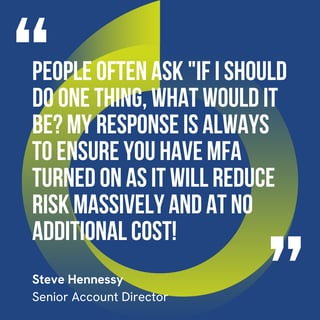 When attackers log in using valid credentials, traditional security tools may not raise immediate alarms. So, these malicious actors sneak in undetected and continue to fly under the radar until the damage has been done. I’m talking significant financial loss or data exposure before anyone realises something is wrong.
What you can do about it
- Enforce multi-factor authentication (MFA) wherever it’s available.
- Monitor for unusual login behaviour, such as unexpected locations or devices.
- Limit administrative privileges so fewer accounts can cause serious damage if they’re compromised.
Malware and Ransomware
Now, malware (or malicious software) can be a huge pain in the neck if it makes itself comfortable on your computer. It’s designed to steal information, spy on activity, or disrupt systems. If accidentally downloaded (i.e. you clicked on that attachment that offered a free cruise around the Bahamas), it’s not always apparent that the malware has caused any problems.
Unless you have a solution like MDR (Managed Detection and Response) in place, you typically won’t get an instant alert. In fact, programmes might run normally at first. Malware is insidious: it creeps and embeds itself into legitimate code or apps, without you knowing, and collects information over days, weeks, or even longer.
Ransomware is a specific type of malware that encrypts files or systems and demands payment for their release (like you see in the movies, where all the computers in the office flash an ominous message and all operations grind to a halt). In this case, software and files are encrypted, so hackers can hold them up for ransom and threaten to delete or publish files unless you pay them. But payment doesn’t guarantee that you’ll get your data back, and even if you do, you can’t be 100% certain that it hasn’t been sold on the dark web.
This isn’t just an IT problem: ransomware can stop operations, damage customer trust, and create legal and regulatory issues if your data is exposed. Many businesses discover too late that their backups don’t work as expected or can’t be restored quickly enough.
What you can do about it
- Regularly test backups to make sure they can be restored quickly.
- Keep systems and software patched and up to date.
- Limit how far malware can spread by restricting access between systems.
Cloud Misconfiguration
No matter the solution, cloud platforms themselves are significantly more secure than their legacy or on-prem counterparts. However, problems arise when they aren’t configured correctly. This might include overly broad access permissions, exposed storage, no form of data governance or services left open longer than intended.
Cloud services make it easy to move quickly, but small configuration mistakes can expose large volumes of data. These issues often go unnoticed because nothing appears “broken” until an incident occurs and the business itself is in jeopardy.
What you can do about it
- Regularly review who has access to what, and why.
- Apply the principle of least privilege so users only have the access they need.
- Don’t assume cloud environments stay secure without ongoing oversight.
Remote Working and Insecure Access
Hybrid and remote working are here to stay, significantly expanding the number of devices, networks, and locations connecting to business systems. Home networks, public Wi-Fi, and Bring Your Own Device (BYOD) can all introduce additional risk. You may look at your phone or laptop simply as a means of getting your work done, but from a security perspective, it’s an entry point into the business. So, not securing every device that has access to the business is like leaving the front door open.
Regardless of whether they’re personal or corporate-owned devices, they all connect to a network, making the security of that network another key part of keeping your data safe. As Callum Archer previously mentioned, having a stable enough connection to do your job is one thing, but it’s more important to make sure that the connection is secure by having traditional firewalls at the very least.
In essence, because the conventional office perimeter no longer exists, attackers take advantage of weaker connections or poorly secured devices to gain access and move laterally into core systems.
What you can do about it
- Use secure access methods such as VPNs or Zero Trust models.
- Ensure devices are kept up to date and protected, wherever they’re used.
- Set clear expectations around how and where company systems should be accessed.
Denial of Service Attacks
Picture this: you’ve just launched a new product on your company website that you know, after doing extensive market research, is going to fly off the virtual shelves. But instead of seeing sales go through the roof, you’re bombarded with frustrated customers who can’t seem to make a purchase.
This is essentially what Denial of Service (DoS) is: these attacks flood systems or websites with traffic (not the good kind), making them slow or unavailable. In most cases, the goal isn’t to steal data, but they can be highly disruptive and stop all operations dead in their tracks (depending on how severe the attack is).
It goes without saying that any business, no matter the size, cannot afford any kind of downtime. Even short outages can impact revenue, operations, and customer confidence. This is especially crucial for customer-facing services and industries that require 24/7 availability.
What you can do about it
- Use providers that offer built-in DoS protection.
- Monitor traffic patterns so unusual activity is detected early.
- Include service availability as part of your broader security planning.
Early Warning Signs Businesses Often Ignore
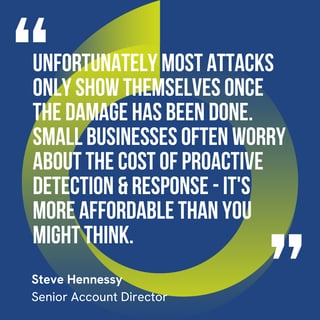 Some attacks don’t cause immediate damage. Things like cryptojacking (where bad actors gain access to a company’s systems so that they can use their servers or computers to mine cryptocurrency), unexplained performance issues, or unusual login alerts are often dismissed as minor IT problems.
These low-level issues can be early indicators of a larger compromise. Ignoring them gives attackers more time to escalate their access and impact.
What you can do about it
- Investigate anomalies rather than writing them off.
- Treat minor incidents as opportunities to learn and improve.
- Review logs and alerts regularly, not just after something goes wrong.
Reducing Risk without Overcomplicating Security
Cyber attacks don’t usually succeed because businesses face unusually sophisticated threats. They succeed because everyday risks are underestimated, small gaps go unnoticed, and responsibility is assumed to sit with technology rather than people and processes.
The good news is that reducing your exposure doesn’t require defending against everything. It requires focusing on the risks that matter most, understanding where your organisation is most vulnerable, and taking practical, consistent steps to close those gaps.
At Babble, we work with businesses like yours to make cyber security accessible, realistic, and aligned with how they actually operate.
If you want help understanding where your biggest risks sit — or how to reduce them without overcomplicating things — the right next step is a simple, honest conversation about your current approach and where it can be strengthened. Let’s have a chat!


.png?width=40&height=40&name=CA%2021%2c%202026%2c%2009_42_21%20PM%20(1).png)